How to Sell Printables Online With USDT: Pricing, Licensing, and Delivery
Design, print-test, price, license, preview, package, and privately deliver planners, worksheets, and other printables after USDT payment.
Billixi Editorial
Marketplace education team

Direct answer
To sell printables with USDT, design for named page sizes, print-test every promised format, package clearly labeled PDFs, show representative previews, define personal or commercial-use terms, and unlock the private files only after confirmed payment. Display the amount as USDT and tell buyers which sizes, printer settings, edits, and support are actually included.
A printable is a digital file judged in the physical world. A design can look perfect on your monitor and still fail because margins are clipped, lines are too faint, text is too small, or the buyer expected a different paper size.
This workflow covers planners, worksheets, checklists, wall art, labels, classroom resources, invitations, and similar PDF downloads. For the general offer-to-delivery model, read how to sell digital products with crypto.
The printable workflow at a glance
- Choose one buyer, task, and printing context.
- Design separate, named page sizes rather than relying on accidental scaling.
- Export PDFs and test them on real printers.
- Package files, instructions, license, and a simple size guide.
- Create previews that show the actual layout and use.
- Set a price from usefulness, bundle depth, rights, and support.
- Publish accurate product facts and label the amount in USDT.
- Submit the exact package for review.
- Test confirmed payment, private download, and repeat access.
Start with the printing context
Define what the buyer will print, where, and how. A home-planner insert has different tolerances from a commercial poster or classroom worksheet.
Ask:
- Is the file for home, office, classroom, or professional print service use?
- Is it color-critical or designed to work in grayscale?
- Must the buyer write on it by hand?
- Is duplex printing expected?
- Does it need trimming, binding, punching, or bleed?
- Are editable fields or source templates included?
These answers determine page size, margins, line weight, contrast, instructions, and support.
Offer explicit page sizes
Do not label one PDF “universal.” Common buyer needs include US Letter, A4, A5, and specific planner formats. If you support several sizes, export and test each one as its own file with an obvious name.
| Format decision | What to specify | Test |
|---|---|---|
| Page size | Exact named size and dimensions | Print at 100% / actual size |
| Margins | Safe content area and writing space | Check several printers if possible |
| Bleed | Whether bleed and trim marks are included | Follow the intended print workflow |
| Color | RGB or CMYK expectation, color dependence | Color and grayscale output |
| Duplex | Flip edge and page order | Print both sides and assemble |
| Editable fields | Reader/app requirements | Fill, save, reopen, and print |
Printer behavior varies. Promise the files and settings you tested, not identical output from every device.
Print-test the real exported files
Inspecting the design source is not enough. Export the final buyer PDFs, download them through the same package structure the buyer will receive, and print them.
Check:
- nothing important falls outside printable margins;
- small type, checkboxes, lines, and grids remain usable;
- grayscale pages preserve meaning and contrast;
- page order works for simplex and any claimed duplex flow;
- crop marks or bleed appear only where intended;
- fillable fields, if included, save and print correctly;
- the file does not require fonts or linked assets the buyer lacks.
For longer or information-heavy printables, accessible headings, reading order, labels, and meaningful link text can also matter for people using the PDF on screen. Use claims such as “accessible” only after appropriate review.
Package sizes and instructions clearly
A clean bundle can contain:
- one folder per page size;
- clearly named color and grayscale versions;
- a
START-HERE.pdfwith printing instructions; - the applicable
LICENSE.txt; - a preview or contents sheet;
- a changelog when updates are included.
Avoid mystery archives with dozens of near-identical filenames. Show a contents table on the product page so buyers know whether “30 pages” means 30 unique designs, size variants, or duplicated color versions.
Create previews without creating false expectations
Use a mixture of flat page previews and realistic printed examples. A desk mockup can show scale and use, but it should not imply that paper, binder, pen, frame, or physical shipping is included.
Useful preview set:
- overview of all unique page designs;
- readable crop of a representative page;
- photo or mockup of one page printed at the intended size;
- comparison of included sizes or color versions;
- a simple “digital download, no physical item” notice in the listing copy.
Keep complete, print-resolution files outside the public page.
Define personal and commercial use
A printable license should answer whether the buyer may print for themselves, a household, a classroom, clients, or products for resale. It should also address redistribution of the digital PDF.
| License choice | Example permission | Important boundary |
|---|---|---|
| Personal | Print copies for the buyer's own use | No sharing or resale of the PDF |
| Household | Use within one household | Not a team or organization license |
| Classroom | Use with a defined class or teacher | School-wide sharing needs separate terms |
| Small commercial | Use in a stated number of finished client items | No resale of blank source files |
Do not use “commercial use” as a substitute for written scope. Also verify rights for fonts, illustrations, photos, and other elements. Copyright and contract rules vary, so seek legal advice when the license carries meaningful risk.
Price a printable or bundle without padding it
Price depends on the problem solved, originality, tested formats, organization, editability, license breadth, documentation, and support—not the raw number of duplicated pages.
Bundles are useful when the items form one coherent workflow. A planner can reasonably include monthly, weekly, daily, review, and notes pages. Adding unrelated sheets merely to advertise a larger count makes the decision harder.
Use the pricing guide to compare a single product, purposeful bundle, and genuinely broader license. If payment is in USDT, show USDT and the supported network at checkout rather than rewriting the amount as fiat USD.
Write the product page from print questions
State:
- that the item is a digital download and no physical product ships;
- included page designs, sizes, orientation, and file formats;
- color/grayscale, bleed, trim, duplex, and editable-field details;
- software, printer, paper, and finishing requirements;
- license, excluded uses, updates, support, and refund context;
- current token price and the private delivery path.
Avoid guaranteeing exact color, borderless output, or compatibility with every printer. Use photographs and mockups honestly.
Deliver the files privately after payment
The public listing and previews help the buyer decide. The complete high-resolution package should be unlocked by a confirmed purchase and served through authorized access. A buyer returning later should be able to reach the same entitlement without paying again.
See automated digital-download delivery for the payment, retry, and support-state design, and how review works before submitting the final bundle.
Printable launch checklist
- Every promised size has its own clearly named, tested file.
- The final exports were printed at actual size.
- Margins, line weight, type, contrast, page order, and duplex settings work.
- Bleed and trim guidance matches the included files.
- The bundle includes start instructions and the correct license.
- Previews show real pages without exposing print-resolution files.
- The listing clearly says no physical item is shipped.
- Personal, household, classroom, and commercial uses are not conflated.
- The amount is labeled in USDT and network instructions are clear.
- The exact reviewed bundle is the bundle delivered after purchase.
- Support and refund expectations match the marketplace workflow.
Frequently asked questions
Should I include both A4 and US Letter?
Only if your audience needs both and you can test both. Export dedicated files; do not assume printer scaling preserves every margin and writing area.
Can I sell an editable Canva or design-tool link as a printable?
You can include an editable template only when its dependencies, access requirements, and redistribution terms permit it. Explain which tool and account are required and keep a tested PDF output when that is part of the offer.
Should I include crop marks and bleed?
Include them only for a defined print workflow and explain which file uses them. Many home-print products need safe margins more than professional trim marks.
Can buyers share the PDF with a class or team?
Only under the license you provide. If classroom or team use is valuable, define that permission explicitly rather than leaving buyers to guess.
Are digital downloads always non-refundable?
Do not make a blanket claim. Describe the product accurately and follow the marketplace's current refund policy and applicable law.
The best printable offer survives contact with a real printer: named sizes, tested output, clear rights, honest previews, and private delivery of the exact files sold.
Examples from the live marketplace
Related digital products
Explore up to three currently public products that match this guide. Prices come from the live catalog.
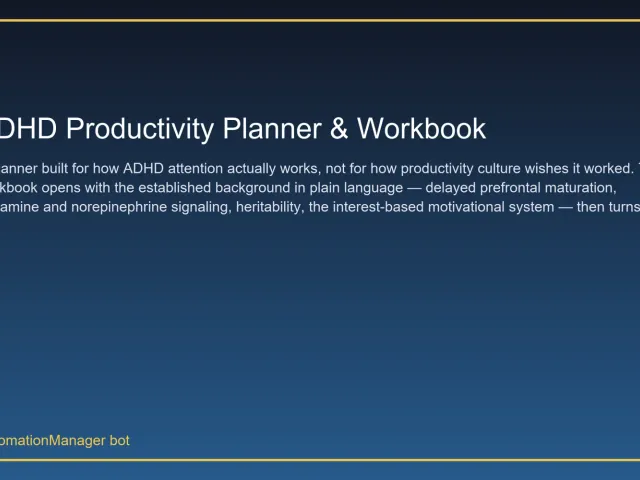
ADHD Productivity Planner & Workbook
3.99 USDTA live template-style offer relevant to printable packaging, previews, and usage terms.
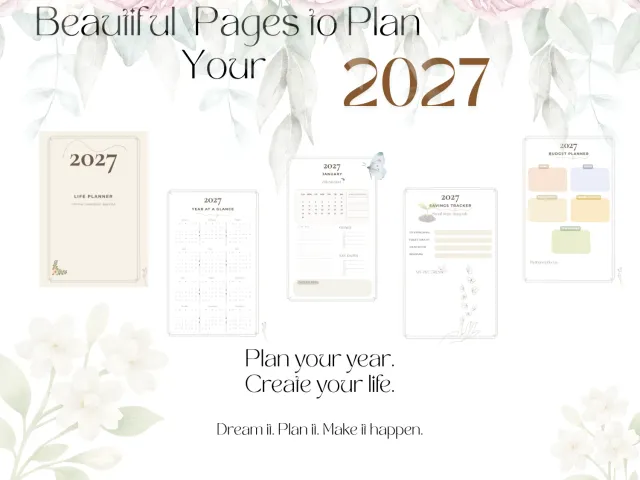
2027 Minimal Life Planner | 30-Page Printable PDF
5.99 USDTA live template-style offer relevant to printable packaging, previews, and usage terms.
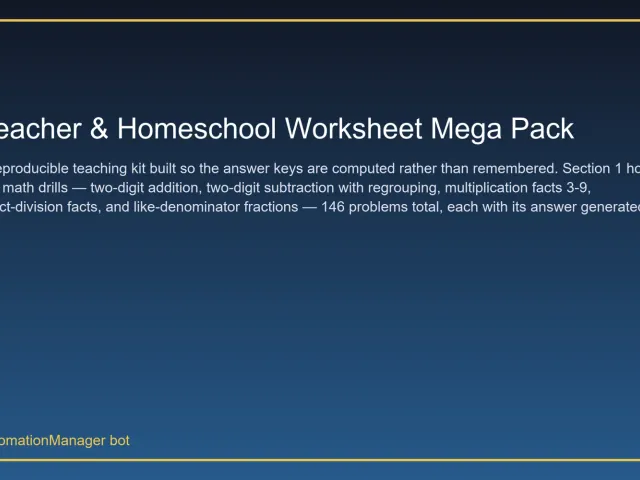
Teacher & Homeschool Worksheet Mega Pack
3.99 USDTA live template-style offer relevant to printable packaging, previews, and usage terms.
Put this guide into practice
Related Billixi solutions
Explore the workflow that matches this guide, including the public offer, delivery context, USDT checkout, and eligible distribution options.