How to Sell Digital Art and Design Assets With Crypto
Package, preview, price, license, and privately deliver digital art and design assets through a clear crypto checkout workflow.
Billixi Editorial
Marketplace education team
Direct answer
To sell digital art or design assets with crypto, package the original downloadable files, show truthful watermarked or reduced previews, define personal and commercial-use rights, label the actual token price, and release the private package only to an entitled buyer after payment confirmation. Treat the sale as a licensed download unless you explicitly and lawfully offer something else.
Digital art is not automatically an NFT, and a crypto payment does not change the rights a buyer receives. Most downloadable artwork, icon sets, templates, brushes, mockups, fonts, and illustration packs are better explained as licensed digital files with a clear scope.
Start with the broader digital-product seller journey, then use this guide to make the creative-specific decisions.
The creative-asset workflow at a glance
- Identify the buyer and real use case.
- Audit ownership of every included element.
- Choose formats, resolution, color modes, and compatibility.
- Package a clean, versioned download.
- Create previews that represent the files without exposing them.
- Write personal, commercial, or extended-use terms.
- Price the scope and support in the actual checkout token.
- Publish one accurate product page and submit the exact package for review.
- Test confirmed-payment delivery and repeat buyer access.
Define what the buyer is actually buying
“Digital art pack” is not enough. Name the output and intended use: editorial illustrations, social templates, presentation backgrounds, UI icons, printable wall art, texture overlays, Procreate brushes, or source-file mockups.
Clarify whether the buyer receives:
- flattened images, editable sources, or both;
- individual files, a bundle archive, or organized folders;
- RGB screen assets, print-ready files, or separate exports;
- raster, vector, layered, font, brush, or application-specific formats;
- one fixed release or updates for a stated period.
If an application or version is required, say so before payment. A file being technically downloadable does not mean the buyer can edit it with their tools.
Audit ownership before building the bundle
The U.S. Copyright Office explains that qualifying original visual works can receive copyright protection and that copyright owners control important uses such as copying, distribution, adaptation, and public display. Other jurisdictions differ, and third-party licenses can add their own constraints.
For every asset, record whether it is:
- your original work;
- commissioned under a written agreement;
- based on a third-party element you are licensed to redistribute;
- a font, photo, texture, brush, mockup, or model with separate terms;
- public-domain material with provenance you can document.
Do not assume that buying a stock asset, font, brush, or AI tool subscription grants the right to redistribute its source files. Check the exact terms and keep evidence. This is operational guidance, not legal advice.
Choose formats and resolution around the intended use
| Buyer use | Useful deliverables | Facts to state |
|---|---|---|
| Web and social graphics | PNG, JPG, SVG where appropriate | Pixel dimensions, transparency, color profile |
| Print artwork | High-resolution PDF, PNG, TIFF | Physical size, resolution, bleed if supplied, color mode |
| Editable layouts | PSD, AI, SVG, Figma-compatible export | Required software/version, linked resources, font status |
| Icons and UI assets | SVG plus raster sizes | Viewbox, stroke/fill behavior, included variants |
| Brushes or presets | Application-specific files | App, version, install instructions, tested platform |
Do not advertise “print ready,” “fully editable,” or “compatible everywhere” without tests. If a vector includes unsupported effects or a template needs missing fonts, the limitation belongs on the product page.
Package the download like a product
Use an obvious folder structure, consistent names, and a short README. A good package might include:
01-preview-reference/for a contact sheet;02-raster/for PNG or JPG exports;03-vector-or-source/for editable files when included;LICENSE.txtwith the purchased terms;README.pdfwith compatibility, installation, and support details;CHANGELOG.txtwhen updates are included.
Remove working files, hidden exports, client data, unused fonts, and duplicated drafts. Open the final archive on a separate device or clean user account before listing it.
Build previews that are useful and honest
Previews should demonstrate style, range, scale, and likely application. Use representative images rather than a single attractive composition that hides weak assets.
A balanced gallery can include:
- an overview contact sheet;
- several full-size crops;
- one realistic use-case mockup clearly presented as a mockup;
- a format or contents summary;
- before-and-after examples when the product is a brush, preset, or template.
Use reduced resolution, crops, or unobtrusive watermarking when appropriate. Never place the complete source archive or an original-resolution paid file in a public image URL. Avoid mockups that imply physical goods, software features, brands, or included elements that the buyer does not receive.
Write a license a buyer can compare
“Commercial use included” is incomplete. Define the buyer, permitted outputs, limits, and prohibited redistribution.
| License | Typical permission | Boundary to explain |
|---|---|---|
| Personal | Use in private, non-commercial projects | Sharing and resale remain prohibited |
| Commercial | Use in defined end products for sale or client work | Source files usually cannot be redistributed |
| Team | Use by a stated number of collaborators | Contractors, seats, and shared storage need rules |
| Extended | Broader volume or product use | The exact additional rights must be written, not implied |
Also address attribution, modification, client transfer, print-on-demand, logo/trademark use, model or property releases, AI training, and update eligibility when relevant. Keep the checkout option, product page, and delivered license consistent.
Price the license and usefulness, not only the asset count
More files do not automatically mean more value. Consider craft, uniqueness, consistency, time saved, editability, documentation, license breadth, update commitment, and support burden.
Separate tiers only when the rights or deliverables genuinely differ. For example, a personal PNG pack and a commercial source-file package can be distinct; three arbitrary “pro” labels are not useful. Apply the pricing framework and show the exact amount and token used by checkout.
USDT is a token used on supported networks; it should not be silently described as fiat USD. Make the token and network clear at the payment step.
Publish a page that represents the files honestly
Include:
- asset count and what counts as an asset;
- formats, dimensions, resolution, color mode, and transparency;
- editable-source and font details;
- software and version requirements;
- preview explanation and mockup disclaimer where needed;
- license scope and excluded uses;
- package size, version, updates, and support;
- current token price and private-delivery behavior.
The exact reviewed package should match these facts. Read how digital product review works before submitting the release.
Deliver the private package after confirmed payment
Keep public previews and the paid archive separate. After the payment reaches the required state, the purchase record should unlock an authorized download or buyer library. Repeat access should recognize the existing purchase, and retrying fulfillment should not create another charge.
The automated delivery guide explains confirmation, private access, retries, and support states in more detail.
Creative-asset launch checklist
- Every included element has documented ownership or redistribution permission.
- Formats, dimensions, resolution, color mode, and compatibility are tested.
- The archive has a clean folder structure, README, license, and version.
- Previews represent the real files and do not expose the source package.
- Mockups do not imply items or rights that are not included.
- Personal, commercial, team, and extended rights are not conflated.
- The amount is labeled with the actual checkout token and network.
- The exact deliverable completed applicable review.
- Confirmed payment, private access, and repeat download were tested.
- Update, refund, and support boundaries are visible before purchase.
Frequently asked questions
Is selling digital art with crypto the same as selling an NFT?
No. A normal digital download sale can transfer a file under a license without minting a token or making ownership claims about a blockchain asset. Describe only the mechanism and rights you actually provide.
Can buyers use a commercial license to resell my source files?
Not unless the license explicitly permits it. Many commercial licenses allow finished end products while prohibiting redistribution of the source asset. Write the boundary plainly.
Should I include editable source files?
Only when they add buyer value and you can legally include every dependency. Source files increase support and licensing complexity, so price and document them accordingly.
Are watermarks enough to protect previews?
Watermarks can discourage casual reuse but do not replace reduced-resolution previews, access control, licensing, and enforcement decisions.
What if a buyer cannot open the files?
The listing should state required software and versions. Provide support for conditions you claimed, but do not promise compatibility you did not test.
A strong creative offer is specific: real files, honest previews, legible rights, accurate token pricing, and private delivery tied to the purchase.
Examples from the live marketplace
Related digital products
Explore up to three currently public products that match this guide. Prices come from the live catalog.

50+ PNGs Design Pack
50 USDTA live creative-asset offer relevant to format, preview, bundle, and licensing decisions.
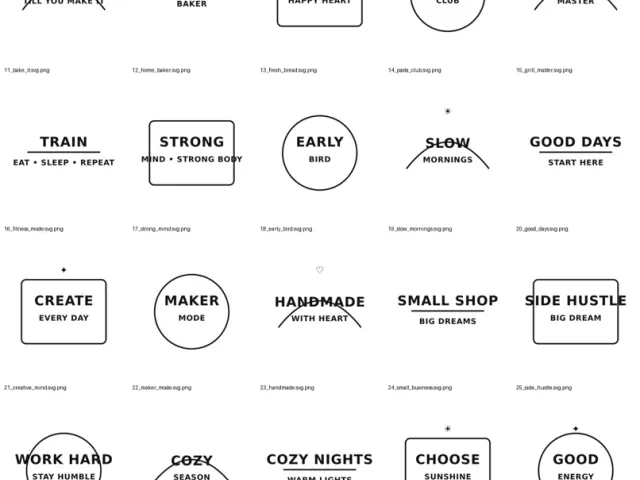
40 Trendy SVG Cut Files Bundle
9.99 USDTA live creative-asset offer relevant to format, preview, bundle, and licensing decisions.
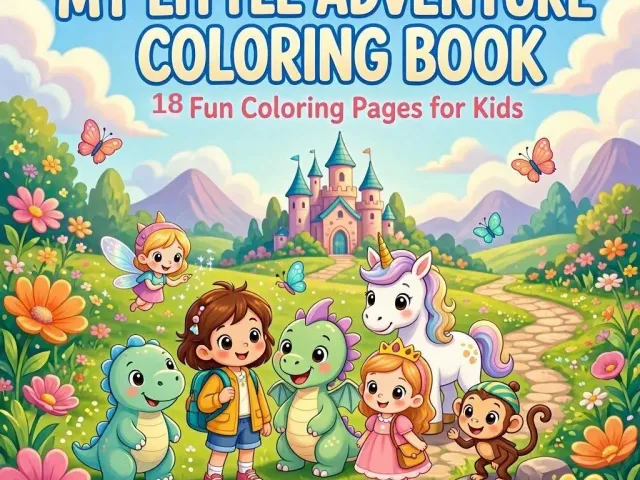
My Little Adventure Coloring Book – 18 Fun Coloring Pages for Kids
1.99 USDTA live creative-asset offer relevant to format, preview, bundle, and licensing decisions.
Put this guide into practice
Related Billixi solutions
Explore the workflow that matches this guide, including the public offer, delivery context, USDT checkout, and eligible distribution options.